More online sales and stronger ROAS
Improve ad relevance, attract more qualified clicks and get more from your existing campaigns.
CTR up ↗ROAS up ↗
FeedOps connects your product catalogue, store locations and inventory data to Google, helping retailers improve online campaign performance and make locally available products easier to discover.
Revenue Opportunity
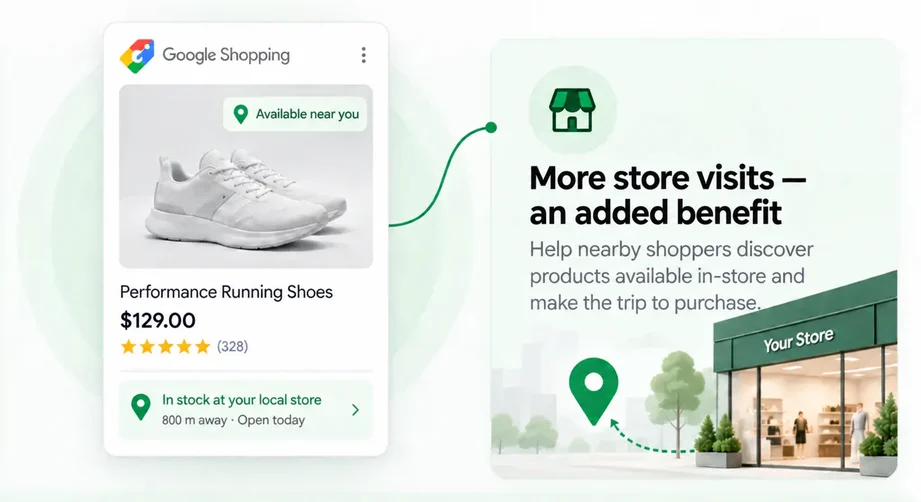
Make existing online campaigns more effective—with the added benefit of driving more shoppers to your stores.
Improve ad relevance, attract more qualified clicks and get more from your existing campaigns.
Local Inventory Ads ROI calculator
Start with your current online performance. The calculator shows every baseline step before applying Google's reported 9% online conversion uplift.
Enter the numbers you already know. The proof table updates immediately.
Use a comparable monthly period for every value.
Google reports that retailers using Local Inventory Ads alongside Shopping ads saw an average 9% increase in online conversions. View Google’s benchmark evidence ↗
How the uplift happens: Local availability can improve click-through rate, creating more clicks and therefore more conversion opportunities from the same impressions.
This is your current performance before any Local Inventory Ads uplift.
| Metric | Calculation | Result |
|---|---|---|
| Impressions | Your entered monthly impressions | 500,000 |
| Clicks | 500,000 × 2% | 10,000 |
| Conversions | 10,000 × 1% | 100 |
| Total conversion value | 100 × $300 | $30,000 |
| Estimated uplift | 100 conversions × 9% | +9 conversions |
| Added conversion value | 9 × $300 AOV | +$2,700 |
Online uplift + store revenue uplift = combined incremental monthly revenue opportunity.
Keep the in-store impact separate so it is never confused with the online uplift.
Use a comparable monthly period for every value.
Google reports that retailers using Local Inventory Ads alongside Shopping ads saw an average 21% increase in store visits. View Google’s benchmark evidence ↗
This shows your current store value before applying the Local Inventory Ads uplift.
| Metric | Calculation | Result |
|---|---|---|
| Store visits | Your entered monthly store visits | 1,000 |
| In-store purchases | 1,000 × 30% | 300 |
| Store conversion value | 300 × $100 | $30,000 |
| Estimated visit uplift | 1,000 visits × 21% | +210 visits |
| Added purchases | 210 × 30% | +63 purchases |
| Added store value | 63 × $100 | +$6,300 |
Online uplift + store revenue uplift = combined incremental monthly revenue opportunity.
Illustrative estimate, not a guarantee. The 9% online conversion and 21% store-visit figures are Google-reported Local Inventory Ads benchmarks. Results depend on your inputs, campaign setup, eligibility and measurement. View the Google source ↗
CTR/ROAS Booster
Local inventory signals make product ads more relevant by showing shoppers what is nearby, available now and ready to collect.
 What shoppers seeIllustrative ad
Example retailer
⌖ Available at your nearest store
Local availability reduces uncertainty.
Clear local returns options remove friction and give shoppers more confidence to buy online.
Pickup messaging combines online convenience with local confidence.
The double ROAS effect
Better local intent can increase online conversion opportunity.
Stronger relevance and quality signals may improve media efficiency.
Availability and pickup information helps capture ready-to-buy shoppers.
Clear store and fulfilment info helps shoppers self-qualify.
One local feed supports online orders, collection journeys and store visits.
Performance is not guaranteed. Actual CTR, ad quality, CPC, placement and conversion rate depend on the auction, competition, bids, campaign setup, landing-page experience, eligibility and data accuracy. How Google explains ad quality ↗ Google pickup-today requirements ↗
Local shopper intent
Local searches carry immediate intent. Shoppers are deciding not only what to buy, but where they can get it today.
How the feed fits: Your catalogue supplies product identity, titles, images and attributes. Local inventory adds the store, stock, price, distance and availability information that makes the offer locally relevant.
Match products to the stores where they are available.
Show whether a product is in stock, limited or unavailable.
Use the store-specific price where it differs from the online price.
Google can still show nearby availability, stock, distance and store information when pickup is not offered.
Connect the product to the store address, distance and opening information.
Show nearby shoppers what is in stock, where it is available and how far away it is—even when purchase and fulfilment happen in-store or through the standard online journey.
Store information must match the website, checkout, inventory and store operations.
Inventory Targeting
Google Local Inventory relies on a precise relationship between the product, store and current local offer. FeedOps manages this data foundation; your media team or agency manages campaign structure, locations, budgets, bids and goals.
Connect every local inventory record with the correct central product ID and Google Business Profile store code.
Translate store inventory into supported availability values and agreed stock rules, including quantity thresholds where appropriate.
Provide the correct store price and sale price when local offers differ between locations.
Map the pickup method and expected timeframe for products bought or reserved online and collected in store.
Control participation by store, region, category, brand, product, stock, price, margin or promotion.
Channel fit
If you have one store or many stores in populated areas—and you are already investing in Google Ads with strong online sales—Local Inventory Ads can extend that success by showing nearby shoppers what is available locally.
Identify where store-level availability, quantity and pricing are held and connect the appropriate source data.
Begin with selected stores, categories or products so matching, accuracy and process can be validated.
Extend proven rules across more stores and products, aligned with Shopping, Performance Max and free local listing goals.
Campaign formats and performance vary by market, eligibility, setup, data quality and inventory. Accurate store data provides a strong foundation—not a guaranteed result.
Book a demoManage Google Local Inventory Feeds
FeedOps manages store-level availability, local pricing and pickup or delivery service levels, keeps that information in sync with Google Merchant Center, and continues optimising the main Google product data through the Merchant API.
Link the participating store locations and match each location with the correct Google store code.
Bring in store availability, quantity, pricing and fulfilment information from your source systems.
Structure product, store, availability, price and pickup or delivery service-level data for Google Merchant Center.
Continuously sync changing store information while the main product catalogue is maintained through the Merchant API.
Check product IDs, store codes, stock, prices and fulfilment promises against Google requirements and the customer experience.
Guide you through Google’s inventory verification process and resolve issues that could prevent approval.
Submit the approved setup to Google Merchant Center and confirm the feeds are ready to serve.
Track feed health, warnings, disapprovals and data changes so local availability, pricing and service levels remain accurate after launch.
The FeedOps Service
Local Inventory feed management sits alongside standard media-feed management, covering store-level data, Google setup, verification and ongoing maintenance.
Confirm scope and pricing with your FeedOps team.
Contact FeedOps for pricing →Discuss your media-feed management, store network and Local Inventory opportunity.
Book a demoSee the catalogue, local coverage, feed health and work underway in one place.
We manage matching, inventory rules, validation, feed issues and maintenance.
Connections, mappings, delivery, monitoring and optimisation stay together.
Google Local Inventory questions
Local Inventory Ads show nearby shoppers products available at physical retail locations. Depending on the format, an ad may include product details, store availability, local price, distance and pickup information.
Yes. The central product catalogue and local inventory data are managed through Google Merchant Center. Google Ads, Merchant Center and store locations must be connected correctly for paid campaigns.
Participating stores generally need Google Business Profile or another applicable Google-supported location setup. Feed store codes must match connected store-location records.
Yes. Your existing product data can normally supply the central catalogue. The local implementation adds store-specific inventory and connects each record with the relevant product and store.
Yes. FeedOps can control participation by store, region, category, brand, product, stock, price, margin, promotion or other agreed rules.
Yes. Eligible local inventory can be used in Performance Max campaigns. The structure depends on whether campaigns combine online and local objectives or focus on store goals.
Eligible retailers can activate free local listings, paid Local Inventory Ads or both. Your business controls which programs are activated.
Eligible pickup experiences can include same-day, next-day and later pickup. Your source data, website, checkout and operations must support the promise shown.
Frequency depends on source systems, inventory volatility, connection method, catalogue size and Google’s supported processing methods. We do not describe a setup as real-time unless the complete data path supports it.
Store-specific pricing can be supported when available from the source system and implemented consistently across the feed and customer experience.
Your internal media team or agency manages campaigns, budgets, bidding and targets. FeedOps manages the product and inventory data and supports the campaign team when feed changes affect advertising.
FeedOps monitors feed delivery, store and product matching, record errors, Merchant Center warnings and eligibility. We maintain rules and coordinate issues originating in inventory sources, websites, store data or advertising accounts.