Step 1 · Start with the audit
See which conversational attributes could improve your products.
Use the FeedOps audit to identify which conversational attributes are recommended but missing. This gives you a practical starting point for improving the product information Google can use in Search and AI Mode.
1. Check recommendations
Review the audit for conversational attributes that could improve your product data but are not yet present.
2. Choose the opportunity
Prioritise the attributes that are most relevant to your products, variants and shoppers’ questions.
3. Move into implementation
Use the recommendations to decide which website fields to map and where the FeedOps playbook can add useful context.
Step 2 · Map
Map your website data to the recommended attributes.
- Map the relevant built-in or custom fields from your website into the attributes recommended by the audit.
- Confirm which products qualify, how values are normalised, and how product and variant relationships should be represented.
related_product field. This includes Shopify, Magento, BigCommerce, WooCommerce and more. If your relationships are stored in custom fields, FeedOps can map those too.Step 3 · Enrich
Use the FeedOps playbook to enrich the mapped facts.
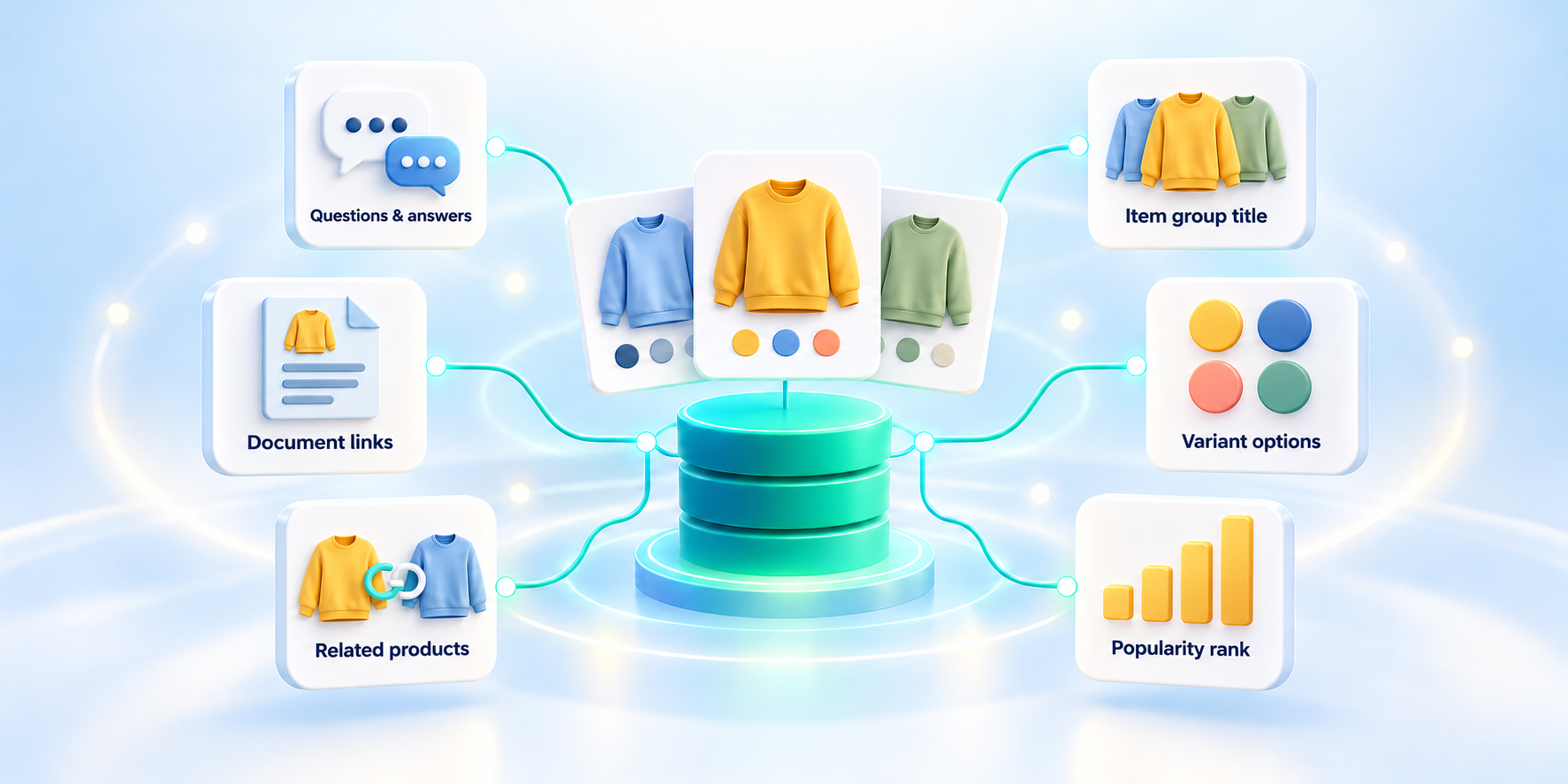
Once your website data is mapped, the FeedOps playbook makes it more useful without inventing product facts. It identifies useful questions, writes concise answers from approved evidence, standardises group titles, and expresses variant options consistently across a product family.
Questions and answers
Identify the questions shoppers are likely to ask, then answer them from approved product facts and specifications, documentation or seller expertise.
Item group titles
Create a clear shared title for a product family, preserving the group identity while keeping individual product titles and IDs intact.
Variant options
Normalise the option name and value for each variant—such as colour, size, memory or width—so Google can distinguish the choices within the group.
Google’s example shows these fields working together: an item group title identifies the product family, variant options describe the specific version, and question-and-answer pairs provide decision-making context.
Review the generated feed output and resolve any mapping or content issues before rechecking the audit.
Quality and consistency
Keep every product detail clear and dependable.
FeedOps validates conversational attributes against your product data so the information presented to Google is consistent, explainable and useful to shoppers. Clear rules for eligibility, formatting, relationships and product variants help you scale quality across your catalogue.
- Keep output consistent and explainable from the product data on your website.
- Use approved product facts to create useful answers and variant details.
- Resolve URL, product identity and attribute issues, then confirm relationship and range checks for the relevant attribute.
- Use the audit to identify any remaining opportunities to improve coverage.
Step 4 · Recheck
Use the audit to confirm the rollout.
When your mapped fields have been enriched by the playbook, run the FeedOps audit again. Check that the recommended conversational attributes are now present, valid and supported by the product data on your website.
If an attribute is still missing, return to the mapping step and check whether the source field is available, whether a custom field needs to be mapped, or whether the product is eligible for that attribute.
Readiness checklist
Before you roll out.
- The audit recommendations for your products are understood.
- Relevant built-in and custom website fields are mapped.
- Questions and answers, item group titles and variant options have been enriched from approved product data.
- The generated feed output has been reviewed.
- The audit has been rechecked and remaining gaps have an explanation or next step.
Common questions
Conversational Shopping questions, answered.
Short answers to the questions ecommerce teams most often ask about conversational shopping product data.
What is conversational shopping?
Conversational shopping is a shopping experience in which a shopper describes a need or asks a question in natural language and an AI system uses structured, accurate product data to identify and explain relevant products.
What are Google conversational attributes?
Google conversational attributes are optional product data fields that help Google understand product nuances for conversational shopping experiences, alongside the product data already provided through Merchant Center.
Do I need custom fields to use conversational attributes?
No. Supported platform connections such as Shopify, Magento, BigCommerce, and WooCommerce can provide available built-in fields and related-product relationships automatically. You can also map custom fields from your website when they contain useful product or variant information.
Which conversational attributes does the FeedOps playbook enrich?
The FeedOps playbook can enrich question and answer content, item group titles, and variant options from mapped product facts and approved product evidence.
Do conversational attributes replace standard Merchant Center attributes?
No. Conversational attributes complement the core product data already submitted to Google Merchant Center, including identifiers, titles, descriptions, price, availability and category-relevant attributes.
Do conversational attributes guarantee visibility in Google AI shopping experiences?
No. They provide additional product context, but they do not guarantee that a product will appear or be recommended. Product eligibility, data quality, relevance, availability and other Google systems still apply.