Products with impressions
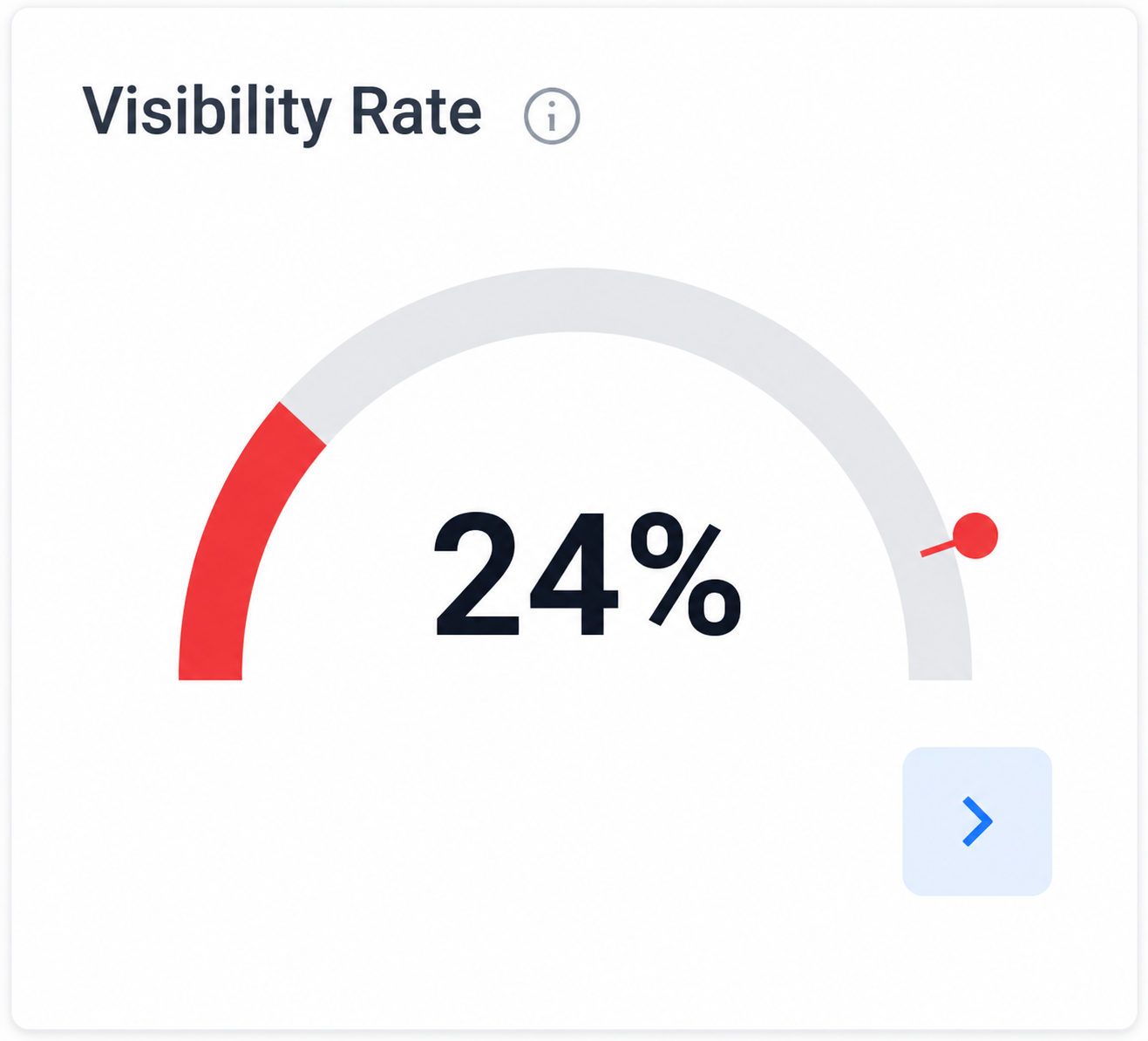
See which products Google is already showing, so you can understand what is driving visibility.
Get instant access to a 100% free, fully automated Google Shopping Feed Audit. See where weak titles, missing attributes, incomplete product types, and approval issues reduce visibility.
A practical view of the product feed signals that affect Google Shopping visibility, matching, approvals, and clicks.
What it checks
For your products to sell, they first need to be visible in Google Shopping. Once they are visible, they need to earn clicks. The audit looks at Google Merchant Center independently of Google Ads, so you can see whether product visibility and click signals are being held back by the feed itself.
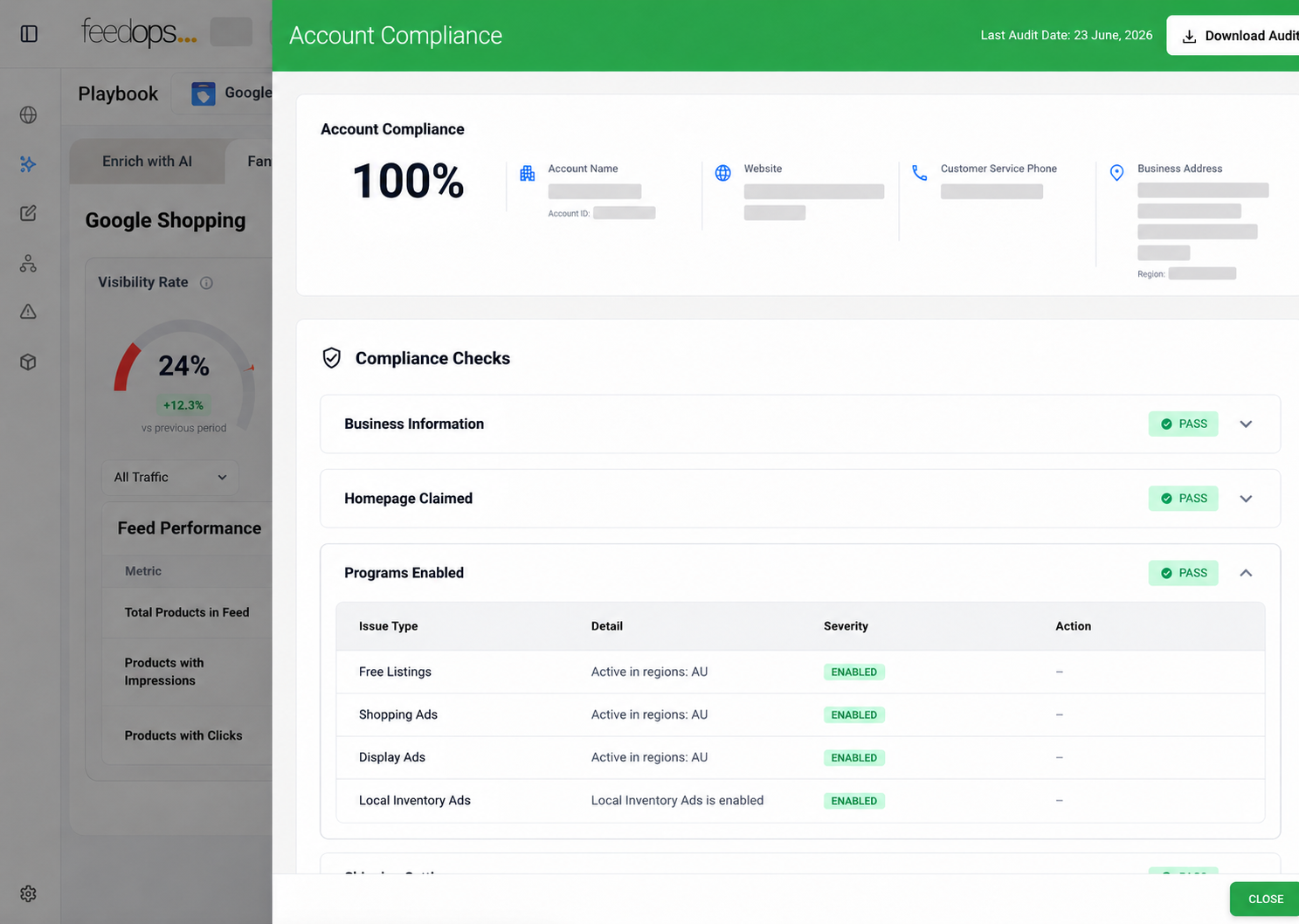
If your Merchant Center account is not compliant, products can be disapproved or the account can be suspended, which means visibility stops before media performance even has a chance. The audit checks the compliance signals that can affect whether products are eligible to show, and it also helps confirm that the programs you are eligible for are turned on so your products can appear in the places Google makes available.
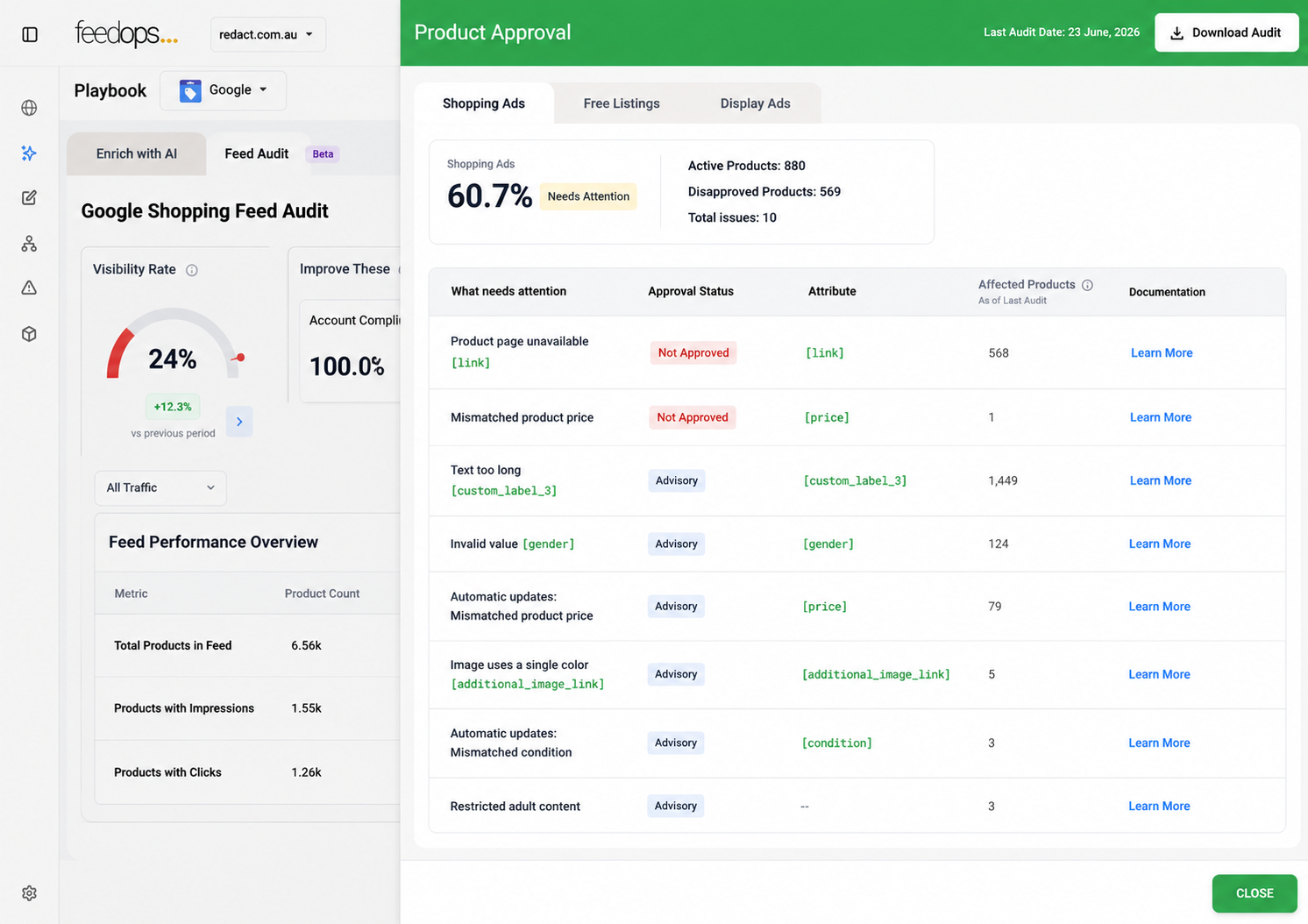
Product approval shows which products are eligible for each Google surface, including Shopping ads, free listings, and display ads. The audit separates approval by channel so you can see where important products are blocked, where issues need attention, and whether the products that matter most are actually able to appear where shoppers can find them.
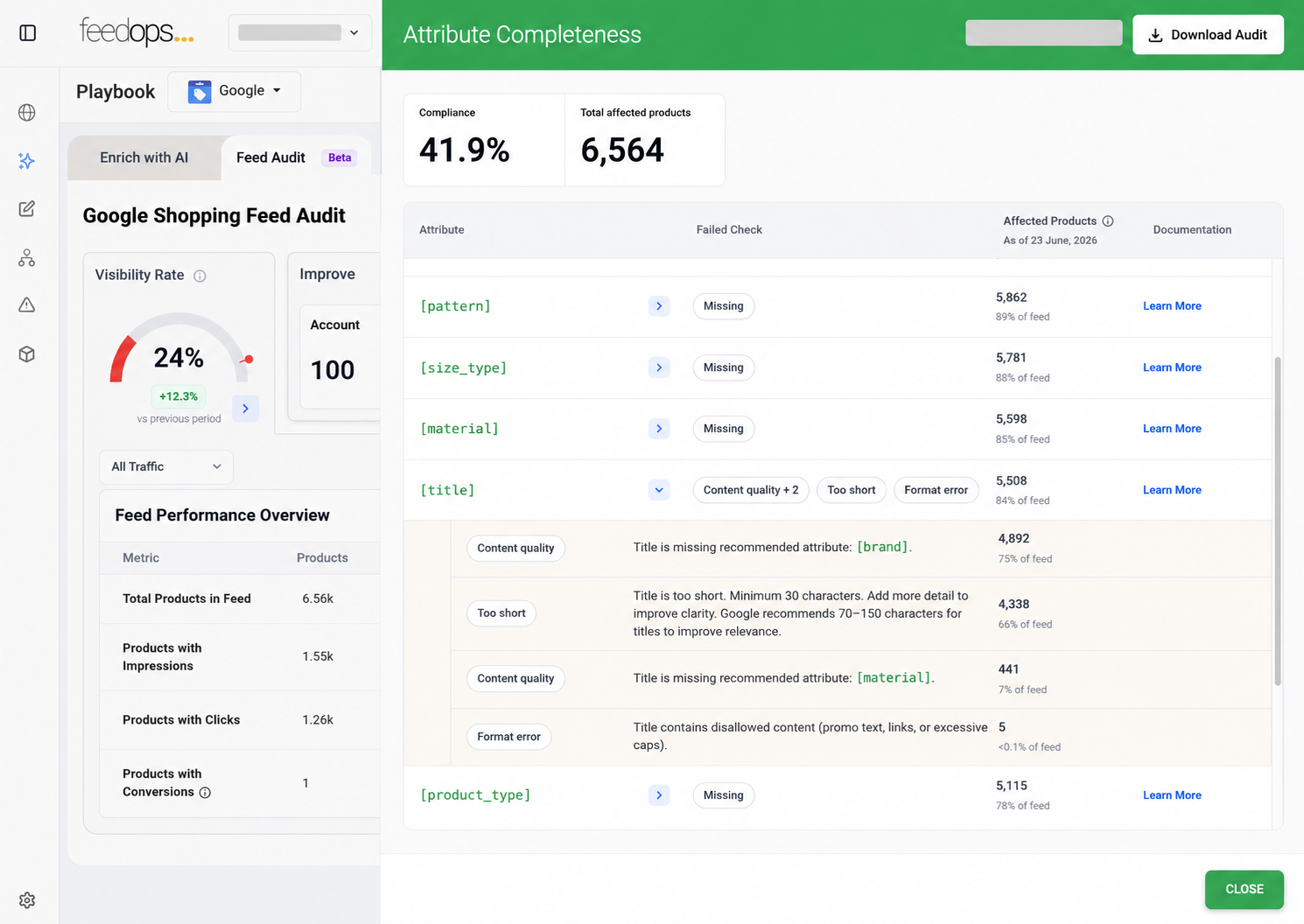
Attributes help Google understand, classify, match, and recommend your products across search, free listings, ads, and conversational commerce. The audit highlights weak or missing titles, product types, identifiers, variants, colours, sizes, materials, weights, and other product details that can limit visibility, searchability, and discoverability.
See which products Google is already showing, so you can understand what is driving visibility.
Find which visible products are actually earning traffic and shopper attention.
Spot products that get impressions but no clicks, so ignored products can be prioritised for review.
Download the audit data to a Google Sheet, rerun audits as often as needed, and view past audits.
FAQ
Yes. The Free Google Shopping Feed Audit is free to use. You enter your details, connect Merchant Center, and the automated audit starts.
Yes. Once access is set up, the audit reviews Google Merchant Center product data automatically and surfaces product data issues at scale.
No. You do not need to become a FeedOps customer to use the audit. If you later want help fixing feed issues, that can be discussed separately.
No. You can keep your current feed provider and still use the audit to understand product data issues.
No. The audit uses Google Merchant Center product data and does not require a Google Ads connection.
FeedOps needs standard Google Merchant Center access plus reporting and insights permissions. This lets the audit read product data plus impression and click signals needed to assess feed health and generate visibility metrics without changing your product data. What does FeedOps access for the audit?
Report permissions allow the audit to read product-level signals such as impressions and clicks. FeedOps uses those signals to generate visibility metrics and identify products that may need attention.
No. The audit is read-only. It does not make changes to your Merchant Center account, product data, pricing, shipping, campaigns, or settings.
The audit is for ecommerce teams, retailers, brands, and agencies that want a clearer view of product data health in Google Shopping.
Yes. Agencies can use the audit across multiple client accounts. Contact FeedOps and we can set up an agency login for running audits across multiple clients.
Yes. Retailers and brands can use the audit to understand catalogue health, product visibility, and product data issues across their Merchant Center account.
Yes. You get a login and can rerun audits as often as you need, so you can compare progress over time.
Yes. The audit can be used across multiple websites or Merchant Center accounts when access is set up for each account.
Yes. Relevant team members and stakeholders can be invited so they can review audit results and prioritise fixes.
Yes. The audit workflow is designed so you can review previous results and compare progress over time.
The audit checks signals such as visibility, products with impressions but no clicks, products with no impressions, attribute completeness, and product data gaps that may affect paid Shopping and free listings.
Zombie products are products that receive impressions but do not receive clicks. They may be visible, but they are not attracting enough shopper interest.
No impressions and no clicks means a product is not being seen or clicked. This can point to weak product data, missing attributes, relevance issues, or visibility problems.
Attribute completeness shows whether important product data fields are present and complete. Missing or weak attributes can reduce visibility, relevance, and product matching.
Yes. Feed quality can affect both paid Shopping activity and free listings because both depend on Google understanding product data accurately.
Yes. The audit is designed to help identify weak signals, missing data, low-visibility products, and missed opportunities in your product feed.
No. The audit is designed to be simple to access and easy to understand. FeedOps can guide the setup process.
You get access to the audit workflow, connect the Merchant Center account you want audited, and the automated audit starts. We use your details to email audit updates and help if setup needs attention.
Yes. FeedOps may contact you to help set up access or support your use of the audit, but you are not required to upgrade.
No. Using the audit does not commit you to becoming a FeedOps customer or changing your feed setup.
If you want help after reviewing the audit, FeedOps can discuss the right plan, support model, or product feed demo for fixing the issues.